> ## Documentation Index
> Fetch the complete documentation index at: https://docs.sovara-labs.com/llms.txt
> Use this file to discover all available pages before exploring further.
# Sovara's auto-injection
> How Sovara injects relevant lessons at runtime.
Auto-injection is how lessons become useful during a run. When your agent
makes a model call inside a Sovara run, Sovara can retrieve relevant lessons and
insert them into the prompt as structured context.
The default path is automatic. You create lessons once, keep the desktop app
running, and Sovara handles retrieval and context placement during future runs.
## Why auto-injection is useful
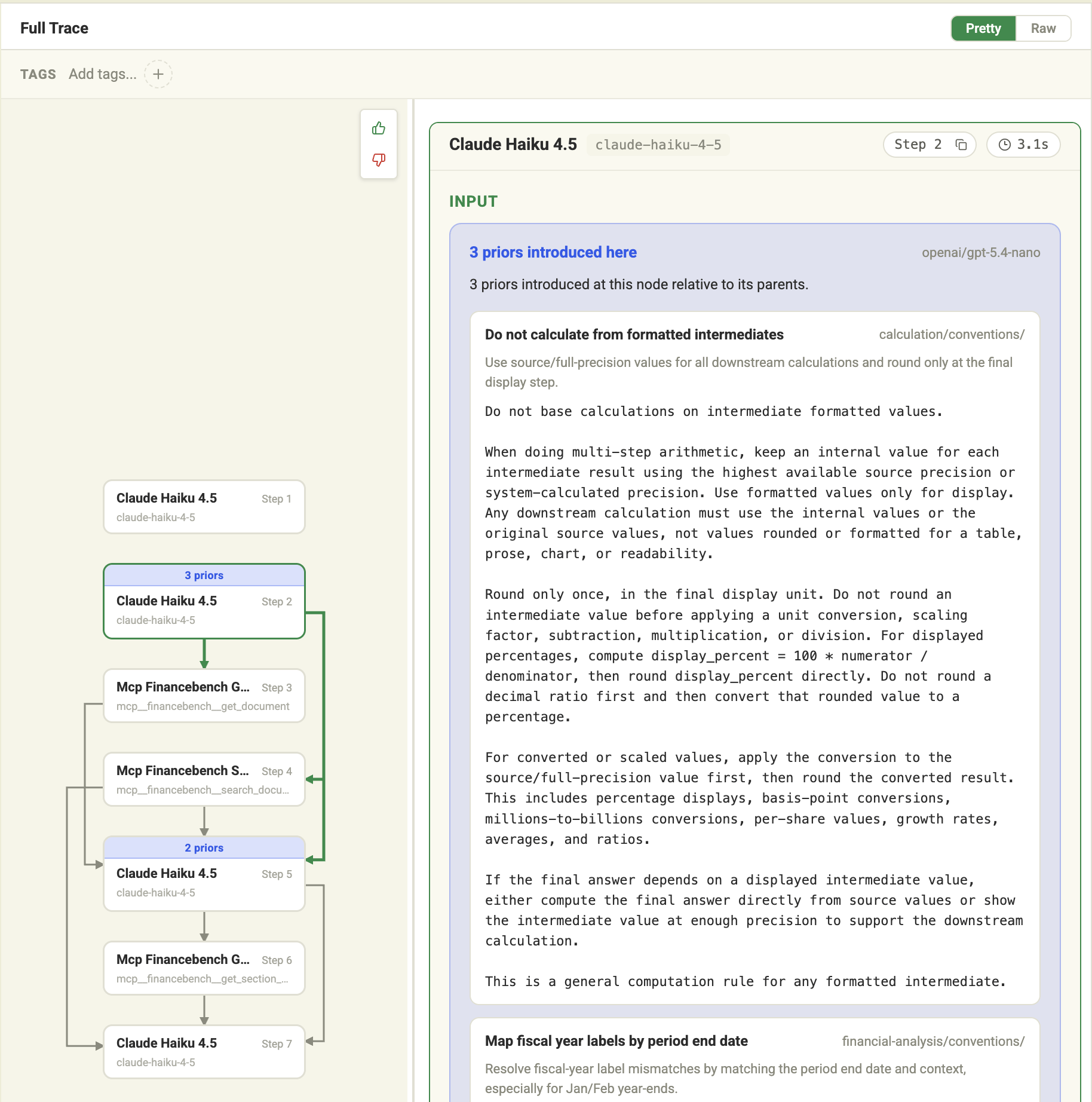
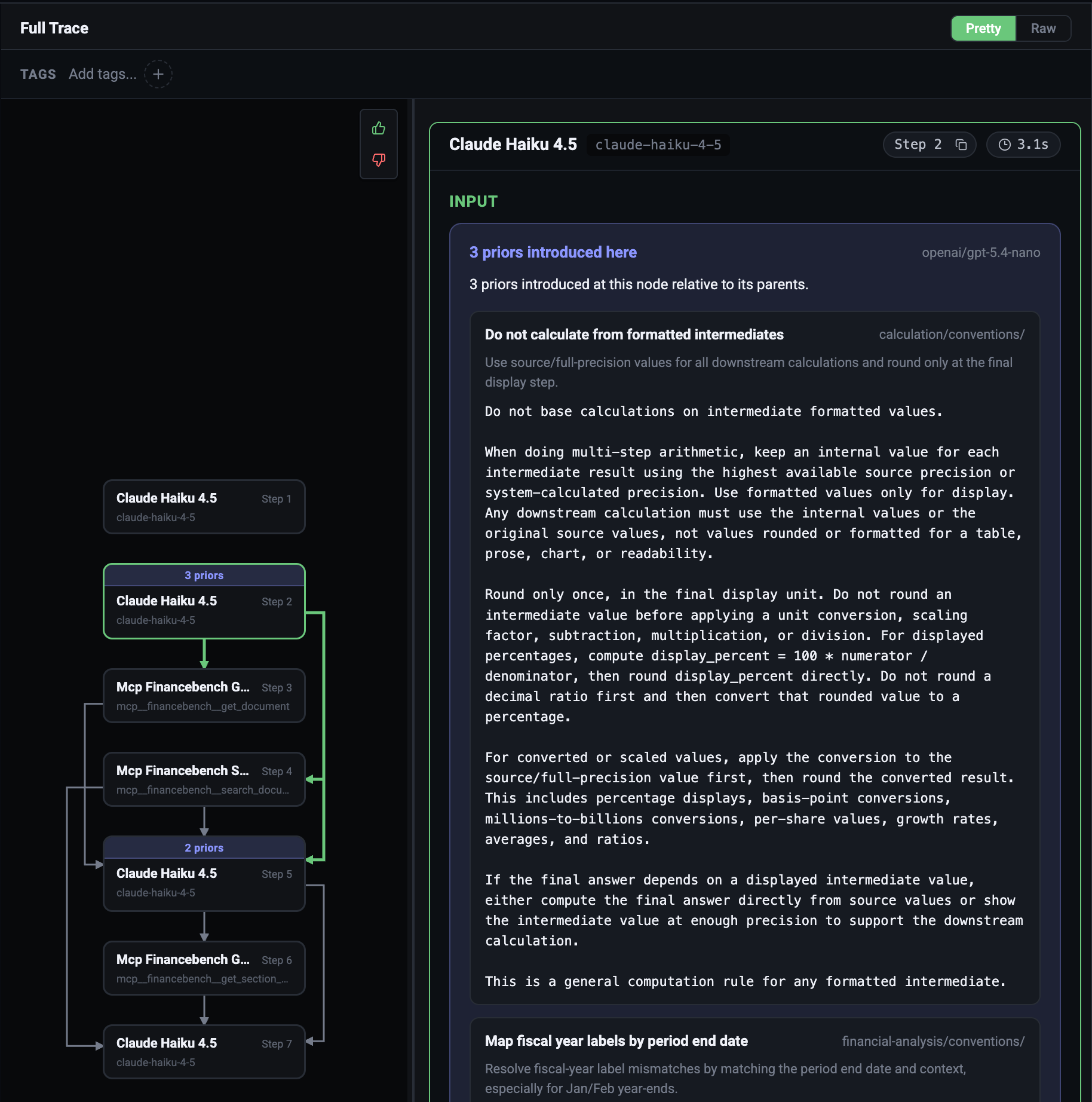
The useful lesson is often not known at the start of a run. A financial-analysis
agent might begin with a broad question, retrieve filings, identify a liquidity
subtask, and only then need the quick-ratio lesson.
Auto-injection lets Sovara consider lessons close to the step where they matter.
That keeps the guidance timely and avoids forcing the agent to carry every
lesson from the beginning.
 ## Why not inject everything at the top?
Top-loading all guidance is tempting, but it breaks down quickly:
* The relevant context can change during a run
* Early guidance can be stale by the time the agent reaches a later step
* Large prompt blocks dilute attention
* Unrelated lessons can push the agent toward the wrong behavior
Sovara retrieves lessons at runtime so the injected context can match the current
step instead of only the original user request.
## Why not always inject?
Even relevant lessons have a cost. Every injected token competes with task
context, retrieved evidence, tool output, and the model's own reasoning budget.
Sovara avoids injecting when it should not. It also uses prefix-caching so
stable lesson context does not need to be retrieved and inserted repeatedly for
the same effective prompt state.
## Why not let the LLM decide?
An LLM can help reason about context, but it is not the right control point for
every injection decision. The model may not know which lesson is needed until
after it has already missed the lesson.
Sovara keeps more control by evaluating possible injection at the runtime step.
That gives the system a chance to apply the right domain lesson before the model
answers.
## Configure injection
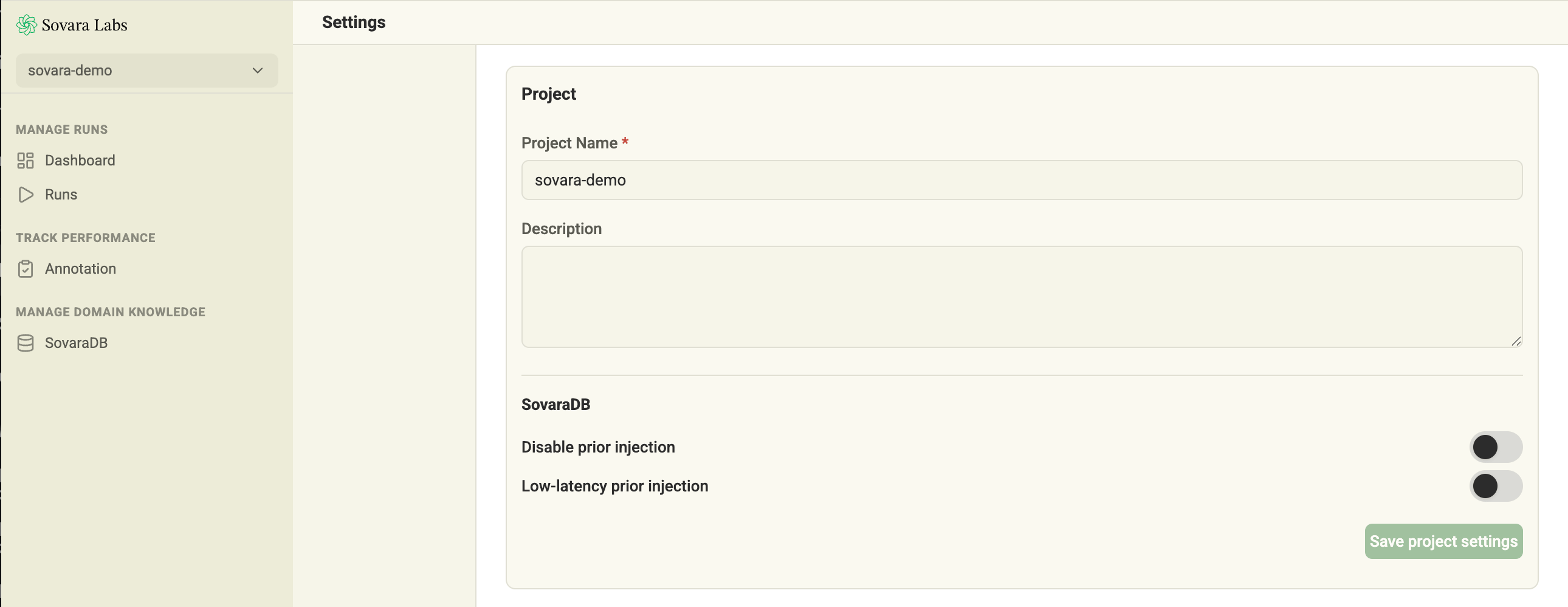
Open Settings and go to the
project's lesson injection settings.
* Turn on **Disable lesson injection** when a project should run without runtime
lessons.
* Turn on **Low-latency lesson injection** for latency-critical applications.
Low-latency mode trades some retrieval depth for speed. Use it when the agent is
in a tight interactive loop and small latency changes matter.
## Why not inject everything at the top?
Top-loading all guidance is tempting, but it breaks down quickly:
* The relevant context can change during a run
* Early guidance can be stale by the time the agent reaches a later step
* Large prompt blocks dilute attention
* Unrelated lessons can push the agent toward the wrong behavior
Sovara retrieves lessons at runtime so the injected context can match the current
step instead of only the original user request.
## Why not always inject?
Even relevant lessons have a cost. Every injected token competes with task
context, retrieved evidence, tool output, and the model's own reasoning budget.
Sovara avoids injecting when it should not. It also uses prefix-caching so
stable lesson context does not need to be retrieved and inserted repeatedly for
the same effective prompt state.
## Why not let the LLM decide?
An LLM can help reason about context, but it is not the right control point for
every injection decision. The model may not know which lesson is needed until
after it has already missed the lesson.
Sovara keeps more control by evaluating possible injection at the runtime step.
That gives the system a chance to apply the right domain lesson before the model
answers.
## Configure injection
Open Settings and go to the
project's lesson injection settings.
* Turn on **Disable lesson injection** when a project should run without runtime
lessons.
* Turn on **Low-latency lesson injection** for latency-critical applications.
Low-latency mode trades some retrieval depth for speed. Use it when the agent is
in a tight interactive loop and small latency changes matter.
 ## Manual injection
Automatic lesson injection is the normal path. Sovara takes care of retrieving
lessons and placing the context under the hood.
Use manual injection only when you need explicit control, such as placing the
lesson block yourself or retrieving through the active run/subrun lesson scope.
Manual injection must happen inside an active Sovara run. When Sovara detects a
managed manual lesson block for a call, it skips automatic retrieval for that
same call.
The manual helper returns only the lesson context string. If it is non-empty,
prepend it to the prompt you send to the model; if it is empty, send the prompt
without the prefix.
```python theme={"theme":{"light":"github-light","dark":"github-dark"}}
from openai import OpenAI
from sovara import SovaraClient
openai_client = OpenAI()
sovara_client = SovaraClient(project_name="finance-agent")
def answer(question: str) -> str:
with sovara_client.run("financial-analysis", lesson_scope="financebench/"):
lesson_context = sovara_client.inject_lessons(context={"question": question})
prompt = f"{lesson_context}\n\nQuestion: {question}" if lesson_context else question
response = openai_client.responses.create(
model="gpt-5.4-mini",
input=prompt,
)
return response.output_text
```
```ts theme={"theme":{"light":"github-light","dark":"github-dark"}}
import OpenAI from "openai";
import { SovaraClient } from "@sovara/runner";
const openai_client = new OpenAI();
const sovara_client = new SovaraClient({ projectName: "finance-agent" });
async function answer(question: string): Promise {
return sovara_client.run(
"financial-analysis",
async () => {
const lessonContext = await sovara_client.injectLessons({ question });
const prompt = lessonContext
? `${lessonContext}\n\nQuestion: ${question}`
: question;
const response = await openai_client.responses.create({
model: "gpt-5.4-mini",
input: prompt,
});
return response.output_text;
},
{ lessonScope: "financebench/" },
);
}
```
Use manual injection sparingly. It is best for custom orchestration, scoped
experiments, or paths where you know exactly which retrieval context should be
used.
## Skip lesson injection
Use `disable_lesson_injection()` around Python code that should be traced but
should not receive automatic lessons.
```python theme={"theme":{"light":"github-light","dark":"github-dark"}}
from sovara import SovaraClient
sovara_client = SovaraClient(project_name="support-agent")
with sovara_client.run("answer-question"):
with sovara_client.disable_lesson_injection():
answer = call_model(question)
```
## Manual injection
Automatic lesson injection is the normal path. Sovara takes care of retrieving
lessons and placing the context under the hood.
Use manual injection only when you need explicit control, such as placing the
lesson block yourself or retrieving through the active run/subrun lesson scope.
Manual injection must happen inside an active Sovara run. When Sovara detects a
managed manual lesson block for a call, it skips automatic retrieval for that
same call.
The manual helper returns only the lesson context string. If it is non-empty,
prepend it to the prompt you send to the model; if it is empty, send the prompt
without the prefix.
```python theme={"theme":{"light":"github-light","dark":"github-dark"}}
from openai import OpenAI
from sovara import SovaraClient
openai_client = OpenAI()
sovara_client = SovaraClient(project_name="finance-agent")
def answer(question: str) -> str:
with sovara_client.run("financial-analysis", lesson_scope="financebench/"):
lesson_context = sovara_client.inject_lessons(context={"question": question})
prompt = f"{lesson_context}\n\nQuestion: {question}" if lesson_context else question
response = openai_client.responses.create(
model="gpt-5.4-mini",
input=prompt,
)
return response.output_text
```
```ts theme={"theme":{"light":"github-light","dark":"github-dark"}}
import OpenAI from "openai";
import { SovaraClient } from "@sovara/runner";
const openai_client = new OpenAI();
const sovara_client = new SovaraClient({ projectName: "finance-agent" });
async function answer(question: string): Promise {
return sovara_client.run(
"financial-analysis",
async () => {
const lessonContext = await sovara_client.injectLessons({ question });
const prompt = lessonContext
? `${lessonContext}\n\nQuestion: ${question}`
: question;
const response = await openai_client.responses.create({
model: "gpt-5.4-mini",
input: prompt,
});
return response.output_text;
},
{ lessonScope: "financebench/" },
);
}
```
Use manual injection sparingly. It is best for custom orchestration, scoped
experiments, or paths where you know exactly which retrieval context should be
used.
## Skip lesson injection
Use `disable_lesson_injection()` around Python code that should be traced but
should not receive automatic lessons.
```python theme={"theme":{"light":"github-light","dark":"github-dark"}}
from sovara import SovaraClient
sovara_client = SovaraClient(project_name="support-agent")
with sovara_client.run("answer-question"):
with sovara_client.disable_lesson_injection():
answer = call_model(question)
```